AI Pottery Product Photo Generator for Ceramic Sellers
Same pot. Better photos.
CraftShot is an AI pottery product photo generator for ceramic sellers that keeps the real form, glaze, and handmade surface while changing the scene, and new accounts get 100 free credits with paid plans from $12 per month (a 1K image costs 20 credits).
CraftShot turns a real mug, bowl, vase, or plate photo into the listing set handmade ceramic shops need: a clean hero, a lifestyle shelf, a gift-ready frame, and a glaze or texture crop. Light and background can change. Form, rim, handle, glaze color, and any chip the camera actually saw should not.
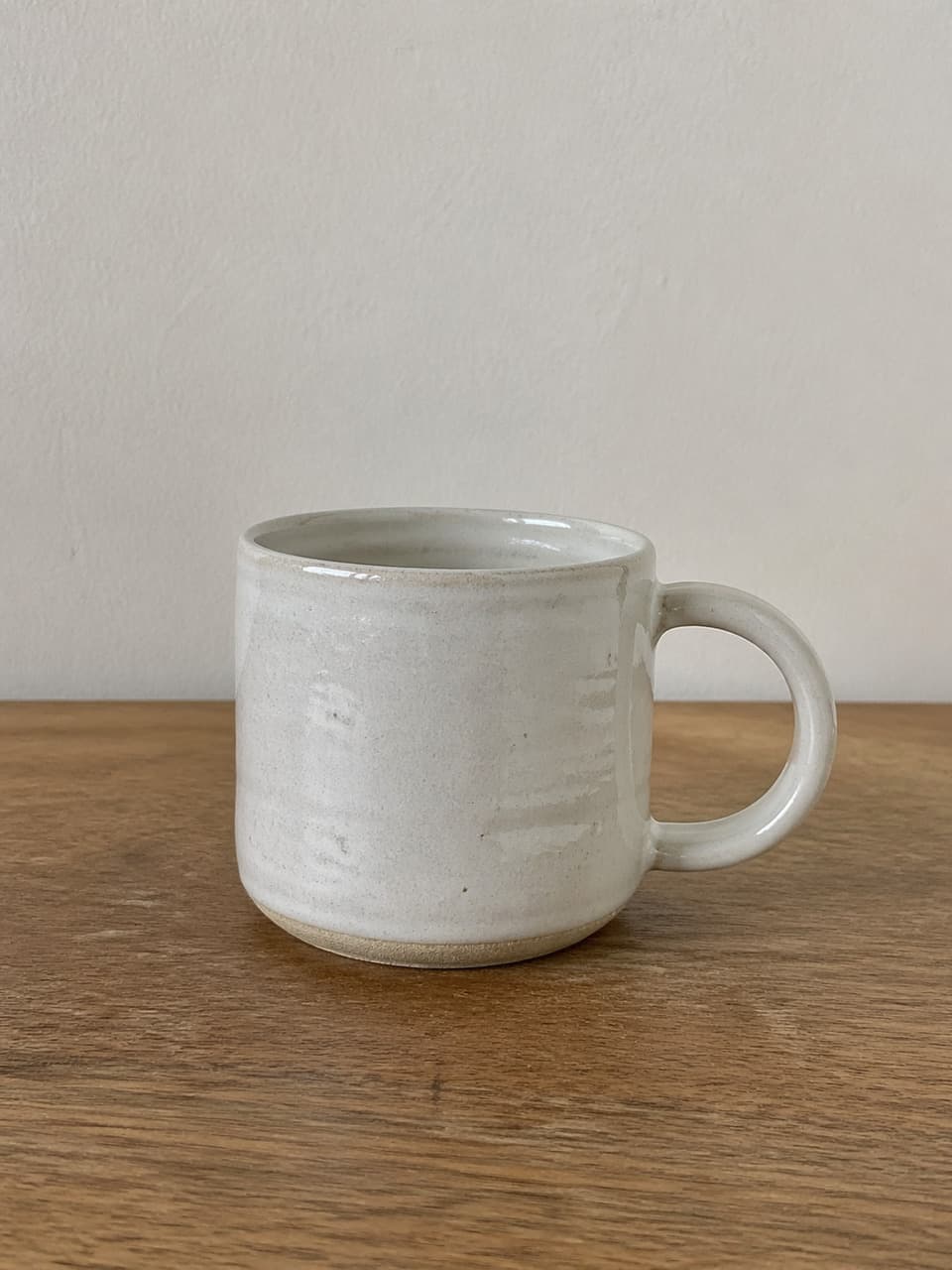
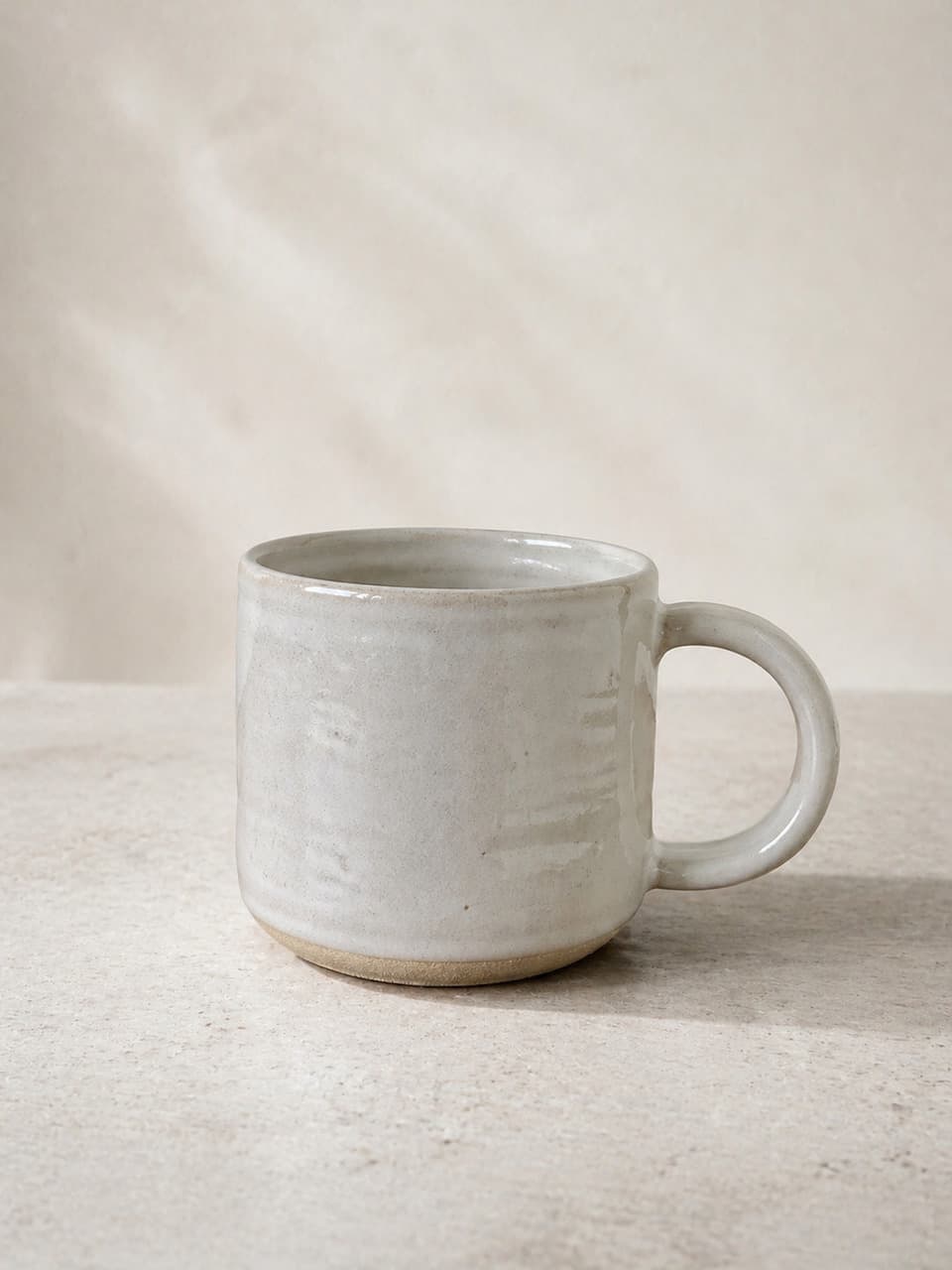
These frames are already in CraftShot: a real wheel-thrown mug, then a quieter listing scene. Upload your pot the same way — a clear front hero is enough to start. Do not ask the model to invent a glaze, chip, or form the camera never saw.
The listing set a pottery shopper uses to decide.
A ceramic buyer inspects the form, imagines the piece on a shelf, checks giftability, then looks for glaze and handmade surface proof. Compete with that full set. Do not invent a prettier pot than the one you will ship.
Clean listing
A quiet hero that survives a tiny Etsy thumbnail: silhouette, rim, handle or foot, and true glaze color stay readable.
Lifestyle shelf
A wood shelf, linen table, or kitchen window helps people imagine home use. The form, glaze, and handmade surface still have to match the piece in the box.
Gift-ready
Kraft wrap, ribbon, or a quiet boxed scene sell the occasion. The pot inside the scene must still be the SKU you pack.
Texture and glaze
Close crops should show throwing lines, speckle, crawl, or satin that exist in your photo — not a new glaze recipe or a healed chip.
Start with the pot you ship. Add real angles only when you have them.
The workspace opens from one upload. A sharp front hero is the required start. Rim details, side profiles, interiors, and glaze close-ups help only when they are real photos of the same piece.
Upload the piece you fire and pack
Use a clear front hero. If you already shot a rim, interior, side, or glaze detail, generate those jobs from those files. Do not ask the model to invent a view the camera never saw.
Generate the listing jobs
Create a clean cover, a lifestyle shelf or table scene, a gift-ready frame, and one texture crop. Add a graphic post only for a fact you already stand behind — capacity, clay body, or care.
Review for product fidelity
Keep the scene if it helps. Discard the file if form, rim, handle, glaze color, speckle, or any chip no longer match the real pot.
Pottery photo checklist
Pottery and ceramic photo questions
Can I use AI photos for handmade pottery on Etsy?
They are more defensible when they still show the pot you will ship. Improving light, background, and crop is a different job from inventing glaze variation, chips, or a new form. Review every frame. This is not legal advice; check Etsy’s current handmade and listing policies.
Will CraftShot invent glaze variation, chips, or a different form?
It is built to preserve visible product details and change the scene around them. It should not invent a new glaze, heal or add chips, or reshape the rim, handle, or foot. If a result drifts, do not publish it.
What should I upload first?
Start with a sharp front hero: full silhouette, true glaze color, readable rim, and any handle or foot. Recommended extras — when you already have them — are a rim or interior shot, a side profile, and a glaze or texture detail. The current workspace starts from one photo at a time.
Does this work for mugs, bowls, vases, and plates?
Yes. Mugs, bowls, vases, plates, planters, and similar ceramics work when the source photo is honest. Use a separate source for each SKU and glaze. Do not reuse a cream mug to sell a cobalt bowl.
Can I try a photo before opening the full workspace?
Yes. The homepage trial uses the same product-fidelity idea. When you are ready for a listing set, continue in the image workspace from this page.
Related use cases
Build the next pottery listing set from a real photo.
Upload the mug, bowl, or vase you ship. Generate the hero, shelf, gift, and glaze frames. Keep every image that still looks like the piece in the box. You can also start with a quick trial on the homepage.
Generate pottery photos